
SEO DIAGNOSTIC · AI OVERVIEWS · CONVERSION MEASUREMENT
Your SEO report still shows first-page rankings. Forms are down, sales says the pipeline is quiet, and leadership suspects AI Overviews are taking the clicks. The problem is that each system answers a different question. Until Search Console, GA4 and CRM evidence are connected, the team cannot know whether to strengthen search visibility, fix the website or repair measurement first.
Direct answer: what should you check when ranking is good but leads are down?
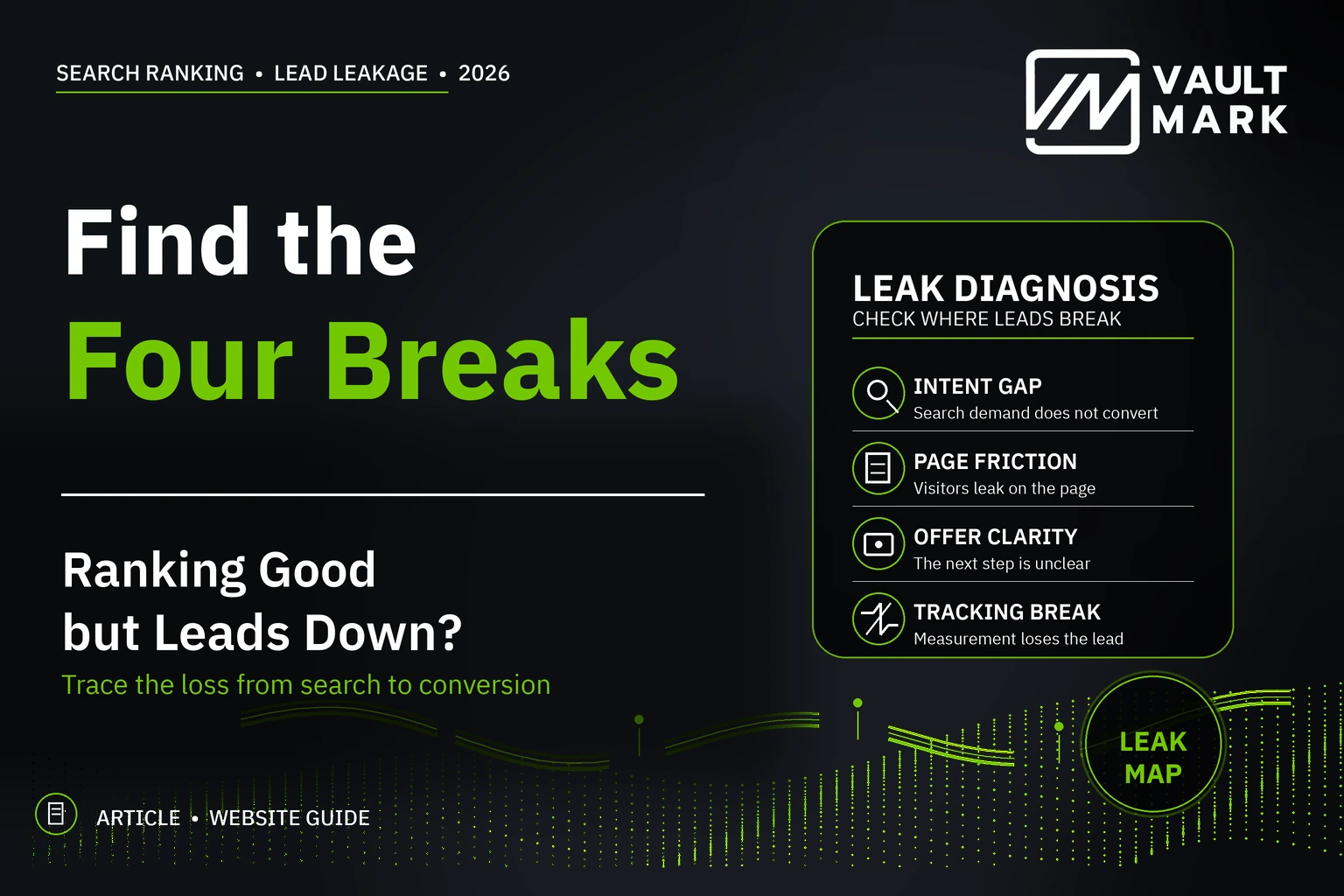
When ranking is good but leads are down, do not blame AI Overviews or publish more content first. Decompose the loss into four stages: search visibility, search-result clicks, on-site key events, and qualified pipeline. Compare equivalent periods in Search Console, GA4 and CRM, then identify the first stage where performance breaks. Fix that stage before expanding traffic or channels.
Why can ranking stay good while leads decline?
“Our rankings are stable” often means an average site position, a familiar keyword set or a rank tracker covering only selected terms. Revenue does not come from rank in isolation. It comes from the right queries and pages attracting the right visitors, followed by a website and sales process that move those visitors forward.
Google explains that Search Console position is the topmost position for a property or page, and that property-level and page-level aggregation can produce different figures. A stable average can therefore conceal losses by page, query, device or country. See Google’s Performance report data and aggregation documentation.
Google also recommends focusing more on trends in impressions and clicks than on position alone, then comparing queries and pages to find material changes. The workflow is documented in Search Console Performance report common tasks.
Stable rank plus fewer leads does not prove that AI Overviews caused the decline. The loss may occur before the click, after the click, during form submission, during qualification or in sales follow-up.
Lead-Loss Decomposition Matrix: where does the journey break?
The Lead-Loss Decomposition Matrix is a Vault Mark diagnostic method for separating symptoms from causes. It is not a market benchmark or statistical finding. Every conclusion must be validated using the business’s own data.
| Stage | Primary symptom | Evidence to inspect | Possible causes | First decision |
|---|---|---|---|---|
| 1. Search visibility | Impressions and clicks fall while average position looks similar | GSC by page, query, device, country and search appearance | Demand decline, query-mix change, lost visibility on commercial pages, seasonality, indexing or competition | Identify the affected page and intent before changing content |
| 2. Click capture | Impressions hold or rise while clicks and CTR fall | GSC CTR by page/query, SERP observations, Generative AI report if available | Answers without clicks, AI features, weaker titles/snippets, intent change or stronger competitor results | Improve answer value and snippets for proven affected queries |
| 3. On-site conversion | Organic sessions hold while key events or session key-event rate fall | GA4 landing pages, key events, device, paths, form/call/chat QA | Intent mismatch, weak CTA, broken form, mobile UX, speed, tracking or offer mismatch | Repair the conversion path and measurement before adding traffic |
| 4. Lead and pipeline | Key events hold while qualified leads, opportunities or revenue fall | CRM source, status, duplicates, spam, response time, sales notes and revenue feedback | Lead-quality shift, routing failure, slow follow-up, inconsistent definitions or lost source context | Align marketing, sales and CRM around qualified-lead definitions |
The matrix forces a disciplined sequence: “Are buyers still seeing us? Are they still clicking? Are they taking an important action? Is that action becoming qualified pipeline?” Only then should the team choose the remedy.
How should you diagnose the decline from Search Console to CRM?
-
Lock the comparison period and lead definitions
Compare periods with similar duration and business context. Record website releases, campaign changes, pricing changes, tracking changes and sales-process changes. Agree what lead, qualified lead, opportunity and revenue mean. Otherwise, each system may appear contradictory because it is counting a different event.
-
Start with impressions and clicks, not average rank
In the Search Console Performance report, compare periods and segment by pages, queries, devices and countries. Group pages and queries into branded, non-branded, informational, commercial and transactional intent so revenue-relevant losses are not hidden by sitewide totals.
-
Find the landing page where the numbers first diverge
When the property setup is compatible, link Search Console to GA4. The integration helps connect search queries and clicks with landing-page behaviour and key events. See Google’s Search Console and Analytics integration documentation.
-
Validate key events before calling it a conversion decline
GA4 defines a key event as an action particularly important to business success and recommends checking events through Realtime and DebugView. Validate forms, calls, chat, LINE OA and bookings that matter to the actual journey. See GA4 key-event reporting guidance.
-
Trace key events into CRM and revenue
If website conversions hold but sales receives fewer usable leads or closes fewer deals, inspect duplicates, spam, source mapping, routing, response time and stage movement. For sales-assisted journeys, the lead-quality and pipeline operating layer separates a demand problem from a post-lead problem.
-
Assign one owner to the first broken stage
If impressions fail, Search/Content owns the first action. If clicks fail, Search plus message and answer design owns it. If key events fail, Website/CRO/Tracking owns it. If qualified pipeline fails, Marketing, Sales and CRM must act together. Opening every workstream at once makes attribution harder.
How can you test whether AI Overviews are causing traffic loss?
Google states that AI Overviews and AI Mode use the same foundational SEO practices as Search. There is no special markup that guarantees inclusion, and a page must be indexed and eligible to appear with a snippet before it can be a supporting link. See Google Search Central’s AI features guidance.
In July 2026, Google is rolling out a Generative AI performance report to a subset of properties. It reports impressions in AI Overviews and AI Mode by page, country, date and device. Access is limited during rollout, and impression data alone does not prove that AI caused a lead decline.
A responsible evidence ladder
- Observe: the same query/page group holds impressions while CTR and clicks fall over the same period.
- Capture SERP context: record query or prompt, language, device, location, date and a screenshot of the AI feature or other new element.
- Check the AI report if available: see whether the same page group receives generative-AI impressions.
- Control alternatives: inspect titles, snippets, intent shifts, branded mix, seasonality, competitor results and technical changes.
- Connect the destination: evaluate whether remaining traffic changed in engagement, key events and lead quality.
A SERP test is a time-, location-, device- and system-specific observation. AI outputs vary. Use a fixed query set, repeat tests and record brand mention, direct citation and recommendation as separate outcomes.
Practical scenario: rank is stable, but the break is after the click
Illustrative example, not a benchmark: a B2B company sees average position move from 5.4 to 5.6 and assumes SEO is healthy. Search Console shows a modest impression decline and broadly stable clicks. GA4 shows similar organic sessions on the service page, but booking key events fall sharply. Testing reveals that the mobile form stopped submitting after a plugin update.
Publishing more articles or changing SEO strategy will not repair that break. The correct action is to validate the form event, fix implementation, confirm it in Realtime and DebugView, then track qualified bookings after the repair.
In another case, clicks and sessions may hold while qualified leads fall because campaign or source context is not entering the CRM. That requires measurement architecture and lead definitions, not a declaration that SEO has failed.
What mistakes cause teams to diagnose the wrong problem?
1. Treating average rank as the main KPI
Rank is one diagnostic signal, not the business outcome. Read it with impressions, clicks, landing-page behaviour and pipeline.
2. Comparing the whole site without separating intent
Informational traffic may grow while commercial service pages decline. Sitewide totals can hide the loss that matters to revenue.
3. Blaming AI Overviews from one screenshot
A screenshot only proves that a feature appeared at one moment. It does not quantify impact or connect it to revenue. Use trends, page/query comparisons and downstream GA4/CRM evidence.
4. Trusting key-event totals without tracking QA
Events can disappear because of tag, consent, form redirect, cross-domain or naming changes. A reported decline may be measurement loss rather than demand loss.
5. Counting leads without quality and revenue
Revenue can decline while lead volume stays stable if buyer readiness or response time changes. Define stages and owners that can be traced back to source.
What should you do after finding the broken stage?
| Primary evidence | Do first | Do not rush into |
|---|---|---|
| Impressions fall on commercial queries/pages | Inspect indexing, demand, query ownership, freshness and competitor coverage | Publishing across every topic without a query owner |
| Impressions hold while CTR/clicks fall | Inspect SERP composition, answer-first content, title/snippet and intent match | Declaring a ranking collapse without evidence |
| Sessions hold while key events fall | Test tracking, forms, CTAs, mobile UX, speed and offer clarity | Buying more traffic to mask a conversion leak |
| Key events hold while qualified pipeline falls | Inspect CRM source, lead definitions, routing, response time and sales feedback | Judging Search by lead count alone |
| Systems conflict and the stage is unclear | Create a baseline and evidence map before choosing execution | Buying a larger stack or launching several fixes together |
Once the priority is clear, the team can move into focused work such as SEO and search diagnostics, search-visibility improvement, controlled experimentation or measurement repair—without buying every capability at once.
The next decision: stop guessing and find the first broken stage
When ranking is good but leads are down, the most valuable question is not “Did AI Overviews reduce traffic?” It is “What is the first piece of evidence showing where the path from visibility to revenue breaks?”
If the team can identify that point, fix that layer and define the metric that confirms recovery. If Search Console, GA4 and CRM cannot yet be reconciled—or leaders disagree about the cause—the first move should be diagnosis and sequencing, not additional spend.
Frequently asked questions
If rank is stable but CTR falls, did AI Overviews take the clicks?
Not necessarily. CTR can fall because of AI features, title/snippet weakness, query mix, intent or competitors. Segment page/query data and repeat SERP observations before connecting the result to sessions and key events.
Should I inspect Search Console or GA4 first?
Start with Search Console to locate an impression or click loss. Then use GA4 to see whether visitors take important actions. Finally, use CRM evidence to validate quality and revenue.
If organic traffic falls but leads stay level, is that bad?
Not automatically. If the lost traffic was low intent and qualified-lead rate improves, the system may be more efficient. Read volume, quality, cost and revenue together.
Will Schema fix falling leads or guarantee AI citations?
No. Schema can clarify visible content when implemented truthfully, but it does not guarantee rankings, clicks, citations or recommendations. Fix the stage identified by evidence.
How long should the diagnosis take?
There is no universal duration. It depends on tracking quality, page count, sales cycle and CRM access. Use comparable periods and avoid decisions based only on one preliminary day.
Sources and limitations
- Google Search Console Performance report overview — definitions and comparison workflow for impressions, clicks and queries
- Performance report: About the data — aggregation, position and preliminary-data limitations
- Generative AI performance report — limited rollout; availability varies by property
- Google Search Central: AI features and your website — eligibility, SEO fundamentals and non-guarantee of serving
- GA4 Landing page report — landing-page sessions, engagement and key events
- GA4 key-event reporting — key-event validation and reporting
Limitations: This is a general diagnostic framework, not an audit of any specific Search Console, GA4 or CRM account. It does not guarantee rank, clicks, AI citations or revenue. AI and search-result experiences vary by time, language, location, device and system.